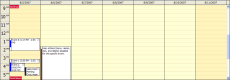
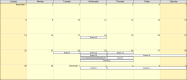
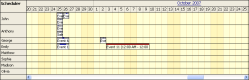
It is possible to hide non-business hours using ShowNonBusiness property (ShowNonBusiness="false") in the Scheduler.
This is the default business hours definition:
Customization
It is possible to show/hide individual time slots per column (but not per cell) using BeforeTimeHeaderRender event handler:
Example
    protected void DayPilotScheduler1_BeforeTimeHeaderRender(object sender, DayPilot.Web.Ui.Events.BeforeTimeHeaderRenderEventArgs e)
        if (!e.IsColGroup && (e.Start.DayOfWeek == DaysOfWeek.Saturday || e.Start.DayOfWeek == DaysOfWeek.Sunday))
        {
            if (DayPilotScheduler1.CellDuration < 60 * 24) { // use business hours for one cell < one day resolution
              if (e.End.TimeOfDay.TotalHours <= DayPilotScheduler1.BusinessBeginsHour)
              {
                  e.Visible = false;
              }
              else if (e.Start.TimeOfDay.TotalHours >= DayPilotScheduler1.BusinessEndsHour)
              {
                  e.Visible = false;
              }
              else
              {
                  e.Visible = true;
              }
            }
            else if (DayPilotScheduler1.CellDuration == 60 * 24) {  // always show it when one cell == one day
              e.Visible = true;
            }
        }
    }
Time cell colors based on IsBusiness
If ShowNonBusiness is set to true, the non-business time cells are highlighted using a different background color:
This behavior can be customized per cell using BeforeCellRender event handler (e.IsBusiness property). It is also possible to specify the color directly (e.BackgroundColor).
In DayPilot Pro Scheduler for JavaScript you have to use onIncludeCell event:
Example:
<div id="dp"></div>
<script type="text/javascript">
  var dp = new DayPilot.Scheduler("dp");
  dp.onIncludeTimeCell = function(args) {
    if (args.cell.start.getDayOfWeek() === 0) { // hide Sundays
      args.cell.visible = false;
    }
  };
  // ...
  dp.init();
</script>DayPilot Documentation: