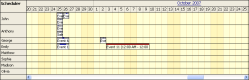
The events must meet two requirements in order to be visible in the Scheduler:
The value of the column defined DataResourceField will be converted to string using Convert.ToString() call. The recommended database types are integer (bigint, int, smallint, tinyint) or string (char, varchar, nchar, nvarchar).
The most common problem is that the resource id doesn't match any of the defined resources:
Debugging
You can check the actual values of the resource id by inspecting the HTML source of the output page (you need at least DayPilot Pro 5.5).
The Scheduler JavaScript section is starting with the following code:
var v = new DayPilot.Scheduler('...control id here...');The events collection looks like this:
v.events.list = [ {...}, {...} ]It is a JSON array of event objects. You should be looking for { ..., "Resource":"value" }.
The resources collection is very similar:
v.resources = [ {...}, {...} ]It is a JSON array of objects as well. You should be looking for {..., "Value":"value" }